
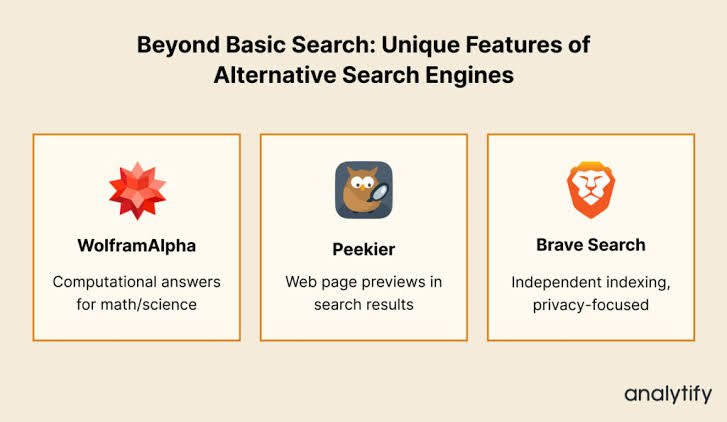
Peekier Search was a privacy-focused search engine that let people preview websites before visiting them. Instead of relying only on titles and short descriptions, it displayed visual snapshots of pages, helping users assess a result before clicking through. However, Peekier is now discontinued: a review updated in May 2023 reported that its homepage redirected visitors to Kagi, and AlternativeTo also lists the service as discontinued.thenewleafjournal+1
That distinction matters because some articles still describe Peekier as an available search engine. Understanding its original features—and what happened to it—provides a more useful picture than an outdated recommendation. This guide explains how Peekier worked, what its privacy promises covered, and why its preview-first design remains interesting.
What Was Peekier Search?
Peekier was an alternative web search engine built around a straightforward idea: show users more of a website before asking them to visit it. Its results featured expandable page previews rather than a conventional list dominated by blue links and text snippets.vivaldi+1
The interface used screen space to display those previews, making the appearance and structure of a page part of the search experience. Users could enlarge a result, inspect the available preview, and then decide whether to open the original website.vivaldi
This approach addressed a familiar frustration: a promising search result does not always lead to a useful page. Peekier attempted to give searchers another way to judge relevance before committing to a visit.
How Did Peekier Search Work?
Peekier combined search results with website images generated on its own servers. The preview was not simply the destination website loading normally inside the user’s browser. Instead, Peekier rendered the page remotely and delivered an image for inspection.vivaldi+1
The basic process involved four steps:
- A user entered a search query.
- Peekier displayed results with visual website previews.
- The user expanded a preview to inspect more of the page.
- The user followed the result link if the website appeared useful.thenewleafjournal
There was an important limitation: an expanded preview did not necessarily contain the entire page. An independent review found that the interface often exposed only part of a website, so users still needed to visit the original source for complete information.thenewleafjournal
What Made Peekier Different?
Visual Website Previews
Peekier’s defining feature was its preview-first presentation. Conventional search snippets summarize a page in words; Peekier added an image of the page itself. That gave users another signal when deciding whether a result matched their needs.vivaldi
For example, someone looking for a detailed tutorial might want to distinguish a substantial guide from a brief promotional page. A visual preview could help with that initial assessment, although it could not establish the accuracy or completeness of the content.
Expandable Results
The ability to enlarge previews made Peekier more than a grid of small thumbnails. Users could inspect additional visible content without immediately navigating away from the search engine. Vivaldi highlighted this feature in its overview of alternative search services.vivaldi
A Different Use of Screen Space
Peekier arranged results to make greater use of a wide display. Its design emphasized multiple visual previews rather than leaving most of the browser window outside a narrow column of results. That layout was central to its identity, not merely a cosmetic addition.bespacific
Peekier Search and Privacy
Privacy was another major part of Peekier’s positioning. Its historical policy stated that it did not store or log personally identifiable information such as IP addresses, browser user-agent details, or unique identifiers. It also said it did not retain users’ search histories.thenewleafjournal
However, describing Peekier as collecting “nothing” would oversimplify that policy. Search queries were temporarily stored without associated identifying information for caching, statistics, and service improvement.thenewleafjournal
The distinction is important:
- Search history connects searches into a record of someone’s activity.
- Anonymous query storage retains search terms without the identifying information described in Peekier’s policy.
- A no-logging claim should therefore be read alongside the service’s specific exceptions.thenewleafjournal
These were policy commitments documented during Peekier’s operation, not a current independent verification of its former infrastructure.
Why Server-Generated Previews Mattered
Peekier’s previews also changed when a destination website received a direct visit. Because Peekier generated the preview on its servers, viewing that image did not itself send the user’s browser to the website shown. Information reached the destination when the user chose to follow its link.thenewleafjournal
This created a useful separation between inspecting a result and opening it. However, it should not be interpreted as a guarantee that every linked website was safe. The preview mechanism concerned how content was displayed; it did not certify the trustworthiness of the underlying page.
Peekier also disabled embedded video previews by default. Its privacy explanation noted that enabling services such as YouTube could introduce tracking and advertising cookies inconsistent with its default approach.thenewleafjournal
Limitations of Peekier Search
Peekier’s distinctive interface came with trade-offs.
Previews Were Incomplete
An image could reveal a page’s layout and some content, but not necessarily everything a reader needed. The independent review’s finding that previews often covered only part of a page limited their usefulness for detailed research.thenewleafjournal
Visual Scanning Was Not Universally Preferred
A grid of previews introduced a different reading pattern from a vertical list. In Peekier’s original Hacker News discussion, one commenter questioned whether scanning across rows was more efficient than scanning straight down conventional results. That was user feedback rather than a measured usability finding, but it illustrates the design trade-off.news.ycombinator
Default Filtering Could Affect Results
Peekier enabled strict Safe Search by default. Users could change the setting, but the original discussion included reports of unexpectedly missing results for some queries. Filtering therefore mattered when evaluating what the engine returned.thenewleafjournal+1
What Happened to Peekier Search?
A May 2, 2023 update to The New Leaf Journal’s review stated that Peekier was no longer operating as its original search service and that its homepage redirected to Kagi. The reviewer did not establish the precise date when the redirect began. AlternativeTo separately marks Peekier as discontinued.thenewleafjournal+1
A redirect alone does not establish that Kagi acquired Peekier, retained its technology, or continued its preview interface. Those would require separate evidence. The supported conclusion is narrower: Peekier’s original service ended, and its former homepage was reported to redirect elsewhere.thenewleafjournal
Frequently Asked Questions
Is Peekier Search still available?
Peekier is listed as discontinued. Its original homepage was reported to redirect to Kagi rather than provide the former Peekier search experience.thenewleafjournal+1
Did Peekier track users?
Its historical privacy policy said it did not log identifying information or maintain search histories. It did temporarily retain queries without associated identifying information for specified operational purposes.thenewleafjournal
Could users browse complete websites inside Peekier?
Not reliably. Peekier offered expandable rendered previews, but a detailed review found that they often displayed only part of a page. Opening the destination remained necessary for complete access.thenewleafjournal
The Lasting Lesson of Peekier Search
Peekier brought together two distinctive ideas: visual result inspection and a privacy-oriented separation between previewing a website and visiting it. Its historical importance lies in that combination, even though the original service is no longer available.vivaldi+1
For anyone researching “peekier search,” the essential distinction is between its documented features and its present status. It remains an interesting example of alternative search design—not an active service that readers should expect to use today.